Counting Elements in Airtable
Airtable is an impressive tool that keeps surprising me with its power. But sometimes, it seems to be missing what I assume would be very basic features.
For example, it has powerful linking capabilities; let's say you have a
companies table and an employees table, you can have a company field in
employees that automatically allows selecting an existing company. The
mirroring effect is automatically enabled as well, when you look at your
company table, you can see all its linked employees.
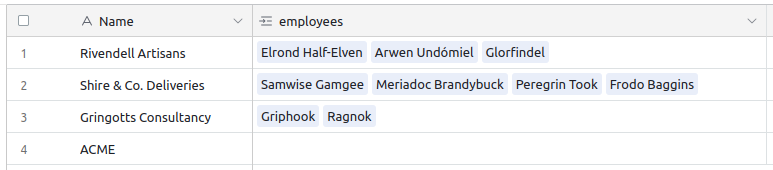
You can even use a Rollup field to, for example, gather all names of the
linked employees. By default it's displayed as a comma-separated list of values,
but in reality it returns an array-like structure, and you can call a bunch of
array-related methods on it, like ARRAYUNIQUE, ARRAYJOIN, ARRAYCOMPACT or
ARRAYSLICE.
But I couldn't find a way to get the length of the array. There is no
ARRAYLENGTH method.
Edit: Seems like there is a Count type that does exactly that. It was there, in plain sight, and I never saw it. It's a much better solution than the hack I'm describing here.
The workaround
Still, I found a clever / hackish way to get that information, by using a mix of string and regexp functions. Let me walk you through it:
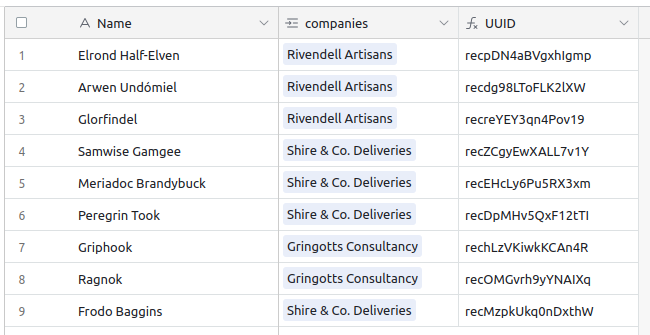
First, I define a UUID field in the employees table, a formula that only
contains RECORD_ID(). That way, I have a relatively short and very unique
identifier for each employee.
Now, let's see what we need to do in the companies table. It is going to be a
pretty long and complex formula, so we'll go step by step. You could technically
put the very long formula in the Rollup, but to make it clearer, I'll create
several fields, and reference them.
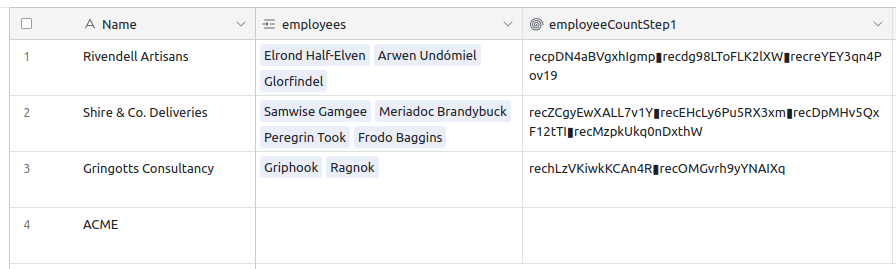
First, I create a an employeeCountStep1 Rollup of the UUID field of the
employees field, but instead of joining it with the default ", " separator,
I'll use a less common character, like ▮. I could have used any character, but
I find this blocky square to be more visible. So, this is our Rollup formula for
now: ARRAYJOIN(ARRAYUNIQUE(values), "▮").
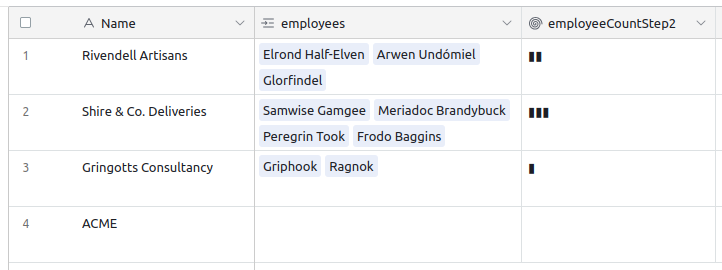
Now, as this returns a string, we'll be able to execute some regexp search and
replace on it. What we'll do is remove all characters, except our blocky
squares. Essentially it means replacing everything that is not ▮, with an
empty string, like this: REGEX_REPLACE(employeeCountStep1, "[^▮]", "")
The last step is to count the number of ▮ we now have, using the LEN method.
But as the ▮ only separates values, we'll have an off-by-one error; if we have
3 employees, we'll only have two ▮. No problem, we just need to add 1 to the
total… But that means that it will also add 1 even if there are no employees…
Ok, so let's wrap that in one final condition to handle that edge-case:
IF(employees = "", 0, LEN(employeeCountStep2) + 1)
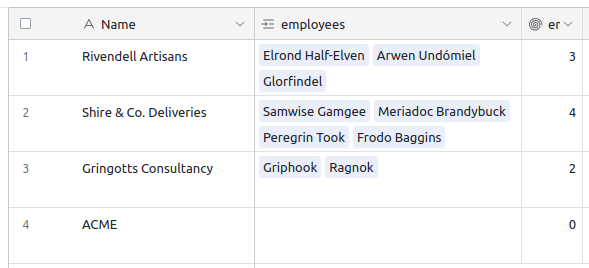
All in all, here is the final Rollup formula:
IF(employees = "", 0, LEN(REGEX_REPLACE(ARRAYJOIN(ARRAYUNIQUE(values), "▮"), "[^▮]", "")) + 1)
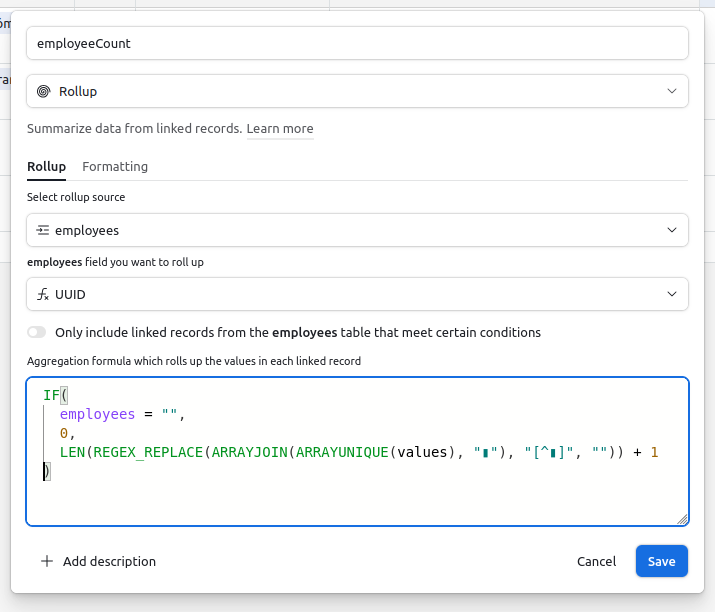
Well, that wasn't easy, but it works. It's a bit hackish, but it does the job. It's a neat trick to have in your Airtable toolkit.